
ezLock3.05b - Google Play
You'll be able to see results in few seconds.
Publisher Description

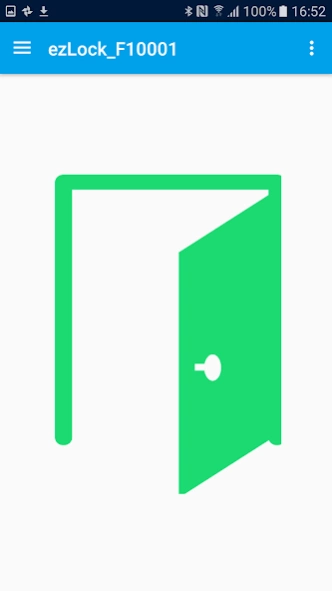
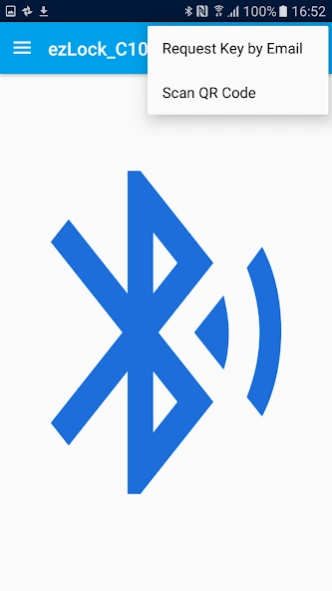
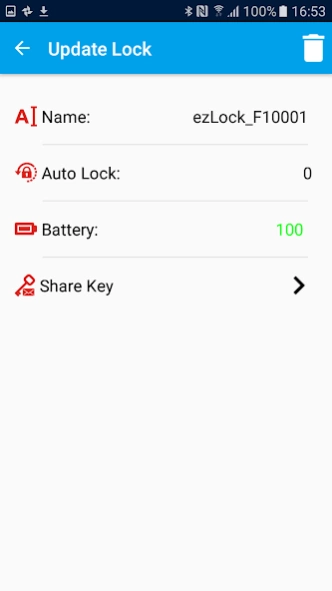
Secure and reliable smart door lock App from your smart phone.
EZlock, smart lock, is the most economical way to provide secure and convenient control of your deadbolt door lock. You can unlock the door by launching the Near Field Unlock Function; triggering the Touch Unlock Function or simply accessing to the App for App Unlock. It allows you to grant or revoke access to access to a third party’s smartphone by "Secured QR Code" or Email. This virtual key cannot be duplicated or transferred to other devices. Key Fob is included for non-smartphone family members.
EZlock has 40 sets of unique electronic ID Keys:
Permanent Key: (For family members)
-No expiration date
-10 sets of keys (Owner / Family members x9)
- 6 sets of Key Fobs with 5 meters remote access radius.
Guest key:
-24 sets of sharing keys with an expiration date
Product Features:
- Your smartphone is smart key now.
- With the App, you have four lock/unlock method: Touch / Near-Field / App /Key Fob.
- Owner key has the ability to grant / revoke each key access for weeks hours and minutes.
- Guest key x 24, each temporary key can be sent by email for "Long Distance" or Scan QR Code for "Face-to-Face". After the expiration date, it will be deleted automatically from the EZlock system.
- EZlock can generate unique IDs for each key that cannot be duplicated or transferred. Each key can only be registered to the EZlock App once. Only an Admin or Master key can issue the sharing key to guest.
- Know who comes and goes, the Mobile App can read the latest 40 of the EZlock activities log.
- Low battery alert from EZlock Device and Key Fob.
About ezLock
The company that develops ezLock is DATA ACTION LLC. The latest version released by its developer is 3.05b.
To install ezLock on your Android device, just click the green Continue To App button above to start the installation process. The app is listed on our website since 2017-07-02 and was downloaded 0 times. We have already checked if the download link is safe, however for your own protection we recommend that you scan the downloaded app with your antivirus. Your antivirus may detect the ezLock as malware as malware if the download link to tw.com.arditech.ezlock is broken.
How to install ezLock on your Android device:
- Click on the Continue To App button on our website. This will redirect you to Google Play.
- Once the ezLock is shown in the Google Play listing of your Android device, you can start its download and installation. Tap on the Install button located below the search bar and to the right of the app icon.
- A pop-up window with the permissions required by ezLock will be shown. Click on Accept to continue the process.
- ezLock will be downloaded onto your device, displaying a progress. Once the download completes, the installation will start and you'll get a notification after the installation is finished.
Program Details
System requirements
Download information
Pricing
Version History
version 3.05b4
posted on 2017-07-02
- Improve BLE connection performance and liability.
- Add "Android OS 4.4.2 API" support back. Not all Android's manufactures hardware have been tested.
We have tested again most popular Android devices.
- Bug fixed: Guest eKey deletion bug.
version 1.06
posted on 2016-08-31
- New 'Touch Unlock' function update,- New 'Near Field Unlock' function update,- Bugs fixed,- UI update: Admin Key Registration Images update. (v1.06)
Disclaimer
Official Google Play Link
We do not host ezLock on our servers. We did not scan it for viruses, adware, spyware or other type of malware. This app is hosted by Google and passed their terms and conditions to be listed there. We recommend caution when installing it.
The Google Play link for ezLock is provided to you by apps112.com without any warranties, representations or guarantees of any kind, so access it at your own risk.
If you have questions regarding this particular app contact the publisher directly. For questions about the functionalities of apps112.com contact us.
